 Redacta
Photo & video redaction
Blur every face before you share the photo.
Redacta finds the people, faces, vehicles and licence plates in your photos and videos and blurs them out — automatically, in seconds, and entirely on your phone. Nothing is ever uploaded.
 Coming soon to iPhone!
- 100% on-device
- No account, no sign-up
- Free to try
How it works
Three taps, no cloud round-trip.
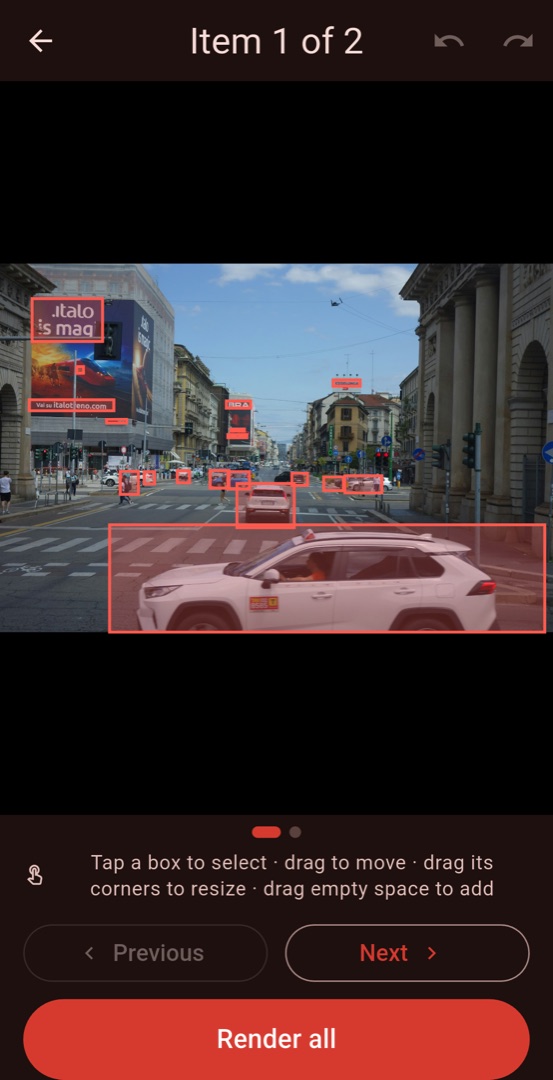
Redacta does the finding for you. If it misses something — or catches something you'd rather keep — you fix it by hand in the editor. That editor is free.
Pick your photos or video
Straight from the system photo picker, so Redacta never asks for access to your whole gallery.
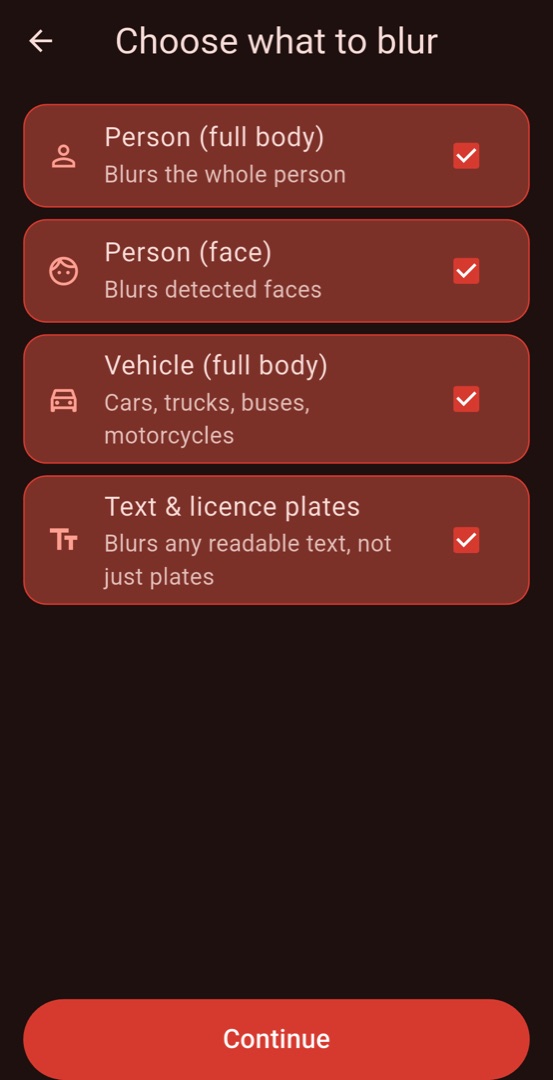
Choose what to hide
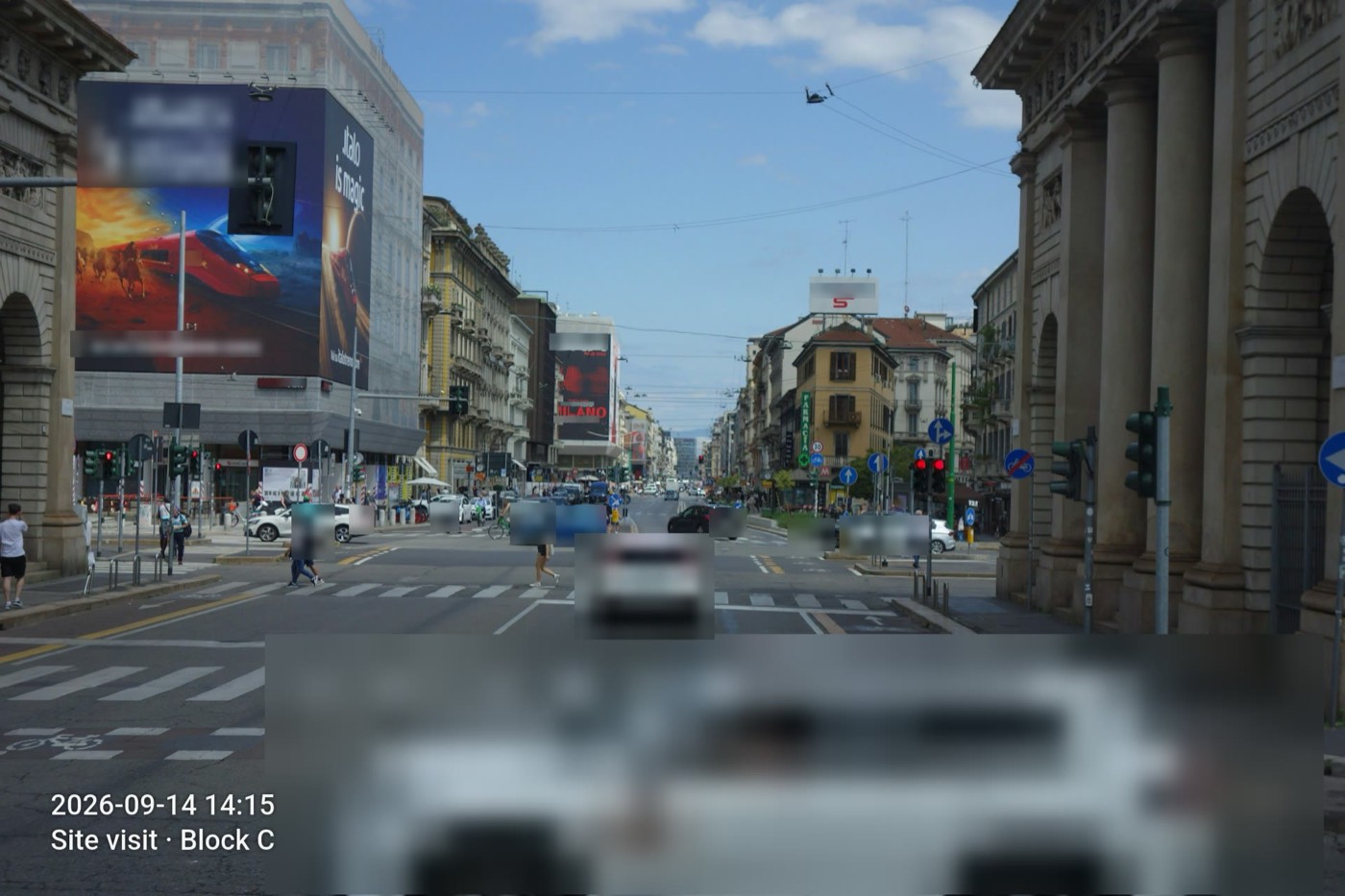
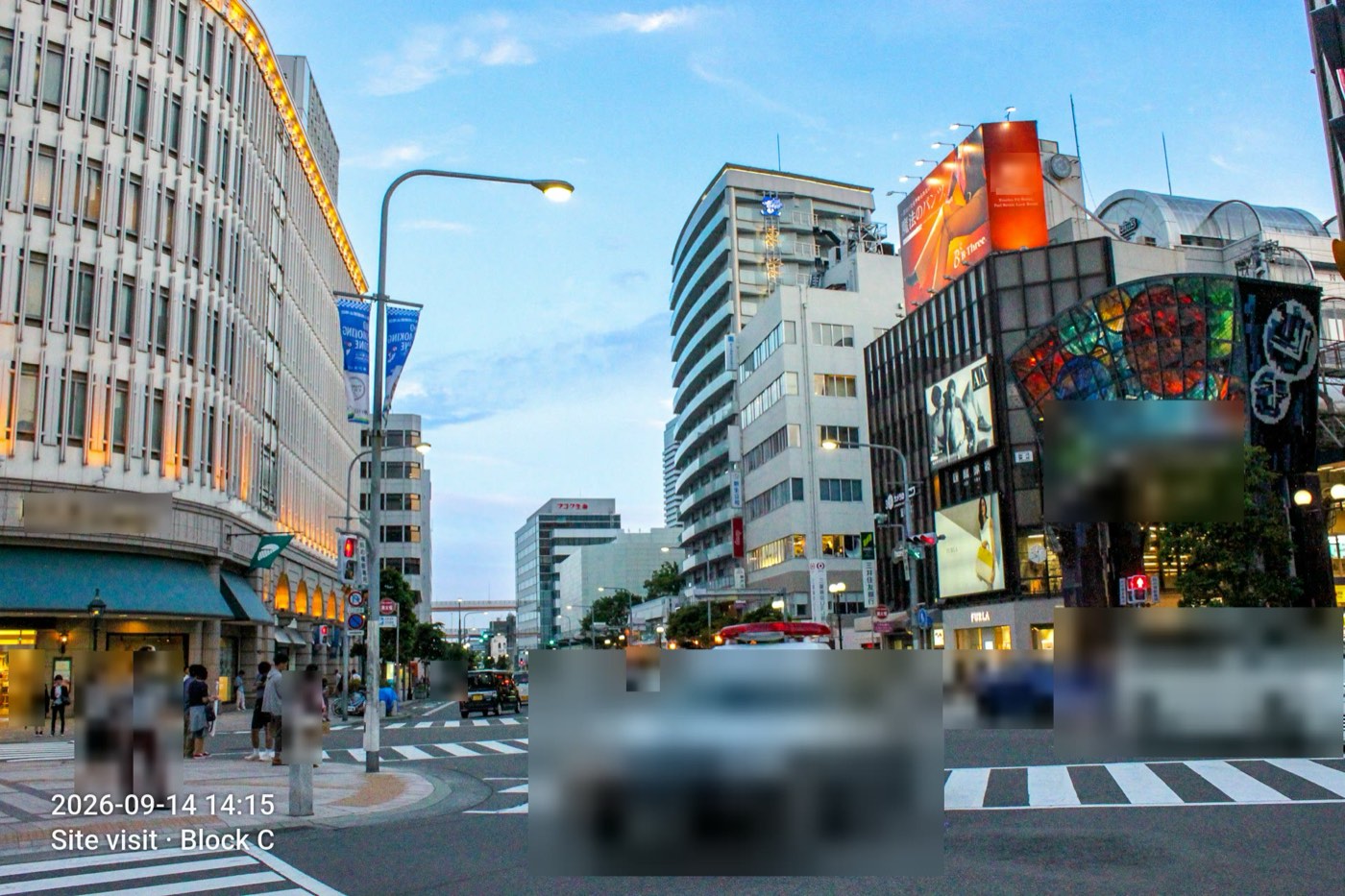
People, faces, vehicles, text & licence plates. On-device detection finds every one and draws a box around it.
Review, then render
Move, resize, delete or add boxes anywhere, pick blur or a solid black-out, and save a clean copy. The original is never touched.
Detection targets
Four things it finds on its own.
People
Whole bodies, not just heads — useful when someone is turned away from the camera.
Faces
Tight face detection for crowds, group shots and anyone caught in the background.
Vehicles
Cars, vans, buses and motorcycles — the whole vehicle, plate included.
Text & licence plates
Street signs, name badges, screens, paperwork, plate numbers — any readable text in frame.
The privacy promise
Your photos never leave your device.
Every step — detection, blurring, video re-encoding — runs on your phone's own hardware. There is no server, no upload, no account and no photo library permission. Redacta works in aeroplane mode.
Nothing is uploaded
No cloud processing and no analytics on your media. The app works with the network switched off.
GPS and EXIF stripped
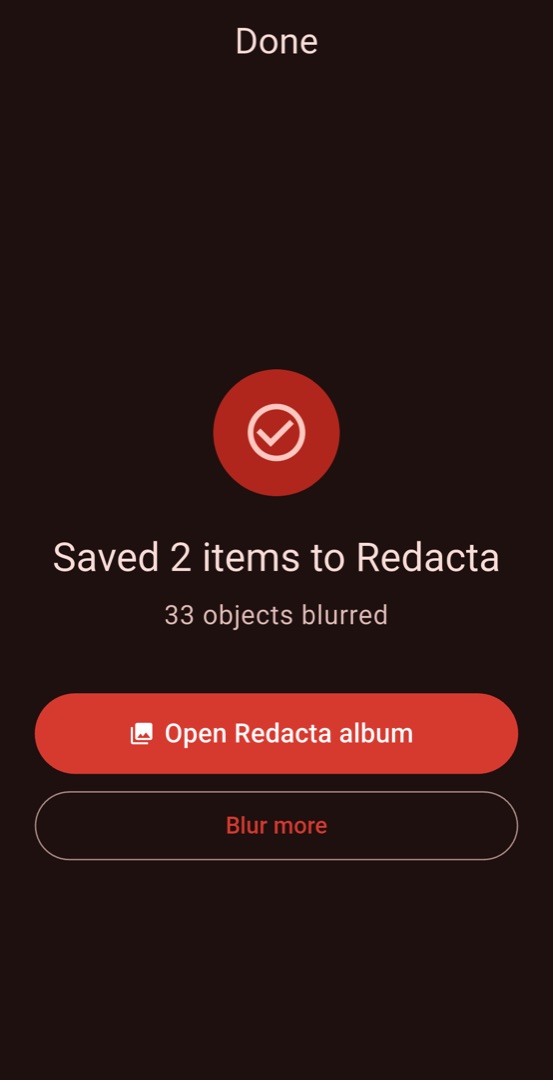
Every saved file has its metadata removed — including the location the shot was taken. On both tiers.
Originals untouched
Redacta always writes a new file to its own album. Your original photo stays exactly where it was.
Video
The blur follows the subject.
Redacta samples the clip, detects each object and then tracks it between samples, so a walking person or a passing car stays covered for the whole shot. Scrub the timeline, tap a track to drop it, or draw your own box and let it follow along. Audio is kept; metadata is stripped.
Inside the app
A linear wizard. Nothing to learn.
Pricing
Free to use. Pro when you need a batch.
Free
US$0 / forever
- One photo or video at a time
- All four detection targets
- The full editor — move, resize, add boxes
- GPS & EXIF stripped on save
- Small “Redacta” watermark on the output
Everything, no watermark
US$9.99 / year · 3-day free trial
- Unlimited photos and videos per batch
- No watermark
- Date, GPS and custom-text stamps
- Everything in Free
Questions
Good to know.
Does Redacta upload my photos anywhere?
No. Detection, blurring and video encoding all run on your device. There is no server component, no account and no upload — the app works with no connection at all.
Can the blur be reversed?
Redacta pixelates the region and then blurs it, writing a brand-new file. The original pixels are not stored anywhere in the output, so there is nothing to un-blur. For the strongest result, choose a solid black-out box in the editor.
What if it misses something?
Draw a box over it yourself. The editor lets you add, move, resize and delete boxes on every item, with undo and redo, and it is included in the free tier.
Does it work on video?
Yes. Redacta detects objects across the clip and tracks them between samples so the blur follows a moving subject. Audio is preserved and metadata is stripped.
When is the iPhone version out?
The iPhone version is built and on its way through App Store review — we'll swap this for a download button the moment it lands. Android is on Google Play today.
What happens to the location data in my photos?
It is removed. Every file Redacta saves has its EXIF and GPS metadata stripped, on both the free and the paid tier. If you want a visible date or location stamp, Pro can burn one into the corner of the image.
Share the photo. Not their face.
Free to try, no sign-up, nothing uploaded.
Coming soon to iPhone!